CAS - Submit Python and R Code
Description
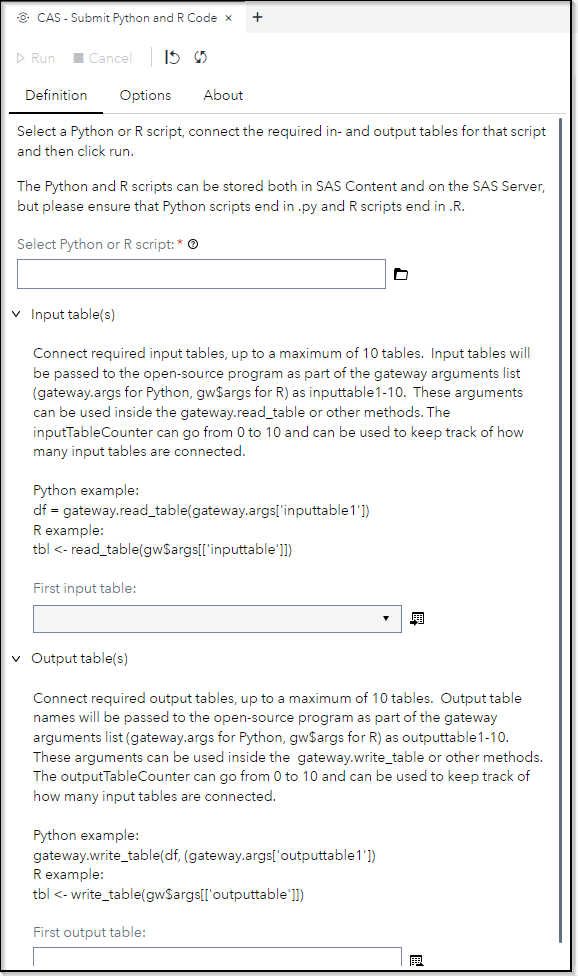
The "CAS - Submit Python and R Code" provides a wrapping for the CAS action gateway.runLang.
Use this custom step to execute open-source programs, taking advantage of parallelization, multiple threads and fast data exchange mechanisms (backed by the Apache Arrow in-memory data format).
The step supports up to 10 input tables and up to 10 output tables (It's a limitation of the custom step definition, not a limitation of the CAS action). You can access those tables in Python/R script as follows
Python example:
# Read from input table 1
df = gateway.read_table(gateway.args['inputtable1'])

# Write to output table1
gateway.write_table(df, (gateway.args['outputtable1'])
R example:
# Read from input table 1
tbl <- read_table(gw$args[['inputtable1']])

# Write to output table1
write_table(tbl, gw$args[['outputtable1']])
Additionally, there are two variables, named inputTableCounter and outputTableCounter, representing how many input and output tables are connected to the step.
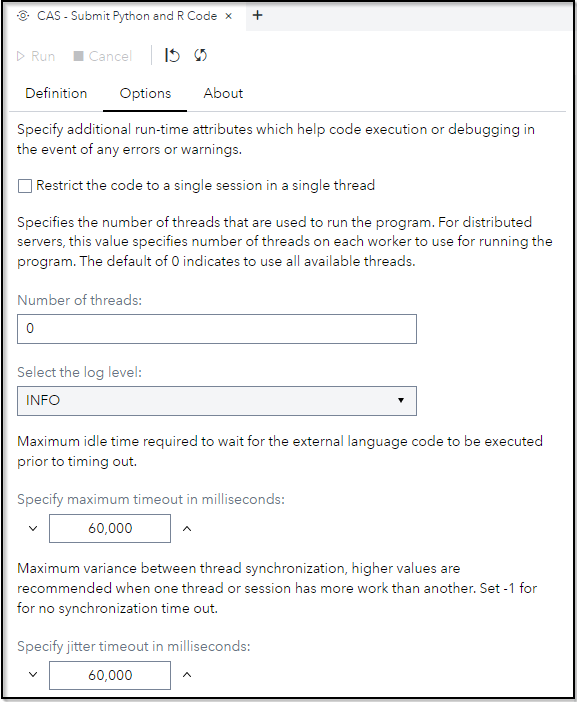
User Interface
Requirements
SAS Viya 2023.11 or later
Ensure that Python and R are configured correctly according to the SAS documentation.
Usage
Find a demonstration of this step in this YouTube video: CAS - Submit Python and R Code | Custom Step
Change Log
-
Version 1.1 (05MAY2025)
-
Fix Bug in from Flow Mode execution
-
Update readme
-
-
Version 1.01 (11JAN2024)
- Updated readme
-
Version 1.0 (19NOV2023)
- Initial version